Business Problem
Traditional password protected archival formats (ZIP, RAR, etc.) are “visible” targets for brute force attacks.
The DELOL Solution
Package. Shield. Transport. Total Control for Multiple Assets.
The DELOL Shield Convoy is the high-security transport layer of the Dhayfule Ethical Lineage Oath (DELOL) ecosystem. While the Encoder protects individual files, the Convoy is designed to weave multiple assets such as videos, documents, and security keys into a single, invisible, and AI-resistant Sovereign Vessel (.dcon) vault.
DELOL 3.0 Tutorial
Why Choose the DELOL Shield Convoy?
While the traditional archival containers use a central directory that lists every file inside, DELOL Shield Convoy changes the game by using Sequential Displacement.
Which means:
- No Central Index: There is no “Table of Contents” for an attacker to read. Files are woven into the binary stream one after another.
- Unique Ghost Signatures: Each asset inside the Convoy receives its own randomized 4-byte salt, ensuring that even if you pack two identical files, their shielded output inside the .dcon will be completely different.
- Mechanical Friction: By requiring manual CLI interaction and terminating the process on a single error, the Convoy effectively “starves” brute-force scripts of the speed they need to operate.
The Two Pillars of DELOL Shield Convoy
There are multiple layers which act as the prime security pillars of DELOL Shield Convoy’s packaging.
The Convoy Loader (The Sealer)
Requires DELOL Sovereign License.
- Asset Bundling: Seamlessly pack multiple files into a single binary stream.
- Sovereign Authorization: Access to the Loader is restricted to authorized users to ensure the integrity of the creation process.
- Passphrase-Map Fusion: The security isn’t just a “check”, rather it’s a transformation. Your passphrase generates the 256-byte map used to mirror every bit in the vessel. Without the exact passphrase, the math simply doesn’t resolve.
The Convoy Unloader (The Carrier)
The Unloader doesn’t need a license, as it has to be available for use by the authorized recipients of the secure package.
- The Key Carrier: Specifically engineered to transport the sensitive keys needed for other DELOL-encoded assets.
- Zero-Dependency Recovery: The Unloader relies entirely on the Core DELOL Encryption Logic and the user’s passphrase to unshield the vessel. It does not require external validation files to perform its mathematical function.
- Full-Cycle Integrity: To extract even a single byte, the Unloader must process the sequence correctly, making it a nightmare for automated tampering or pattern-detection
Sovereign Security Standards
The DELOL Shield Convoy is built on the principle of Invisibility over Resistance.
- Dual-Signed Legitimacy: Every build is double-signed (SHA-1 and SHA-256) and timestamped. Your tools stand as verified, trusted authorities on any system.
- Anti-Heuristic Design: AI-based stealth scanners and ransomware cannot “guess” the content, preventing your assets from being flagged or exfiltrated during transit.
Operational Use Cases
- Master Key Transport: Securely move the private keys used for the DELOL Encoder across air-gapped systems.
- Project Bundling: Keep all related project assets (code, docs, designs) in one invisible vessel.
- Secure Distribution: Send sensitive data to clients who can use the free Unloader to access the files without needing a full software installation.
Steps To Secure Your Digital Secrets with DELOL Shield Convoy
Phase 1: The Shielding (Encoding)
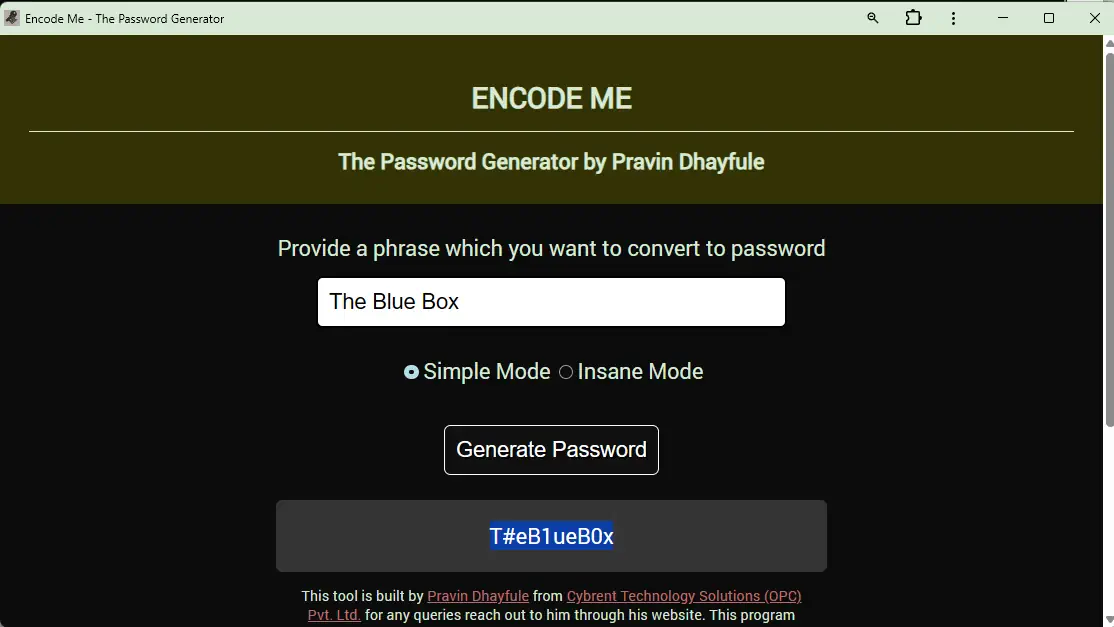
The first step is to open EncodeMe Password Generator from https://encodeme.dhayfule.com to set a super-strong password, just like in this screenshot.
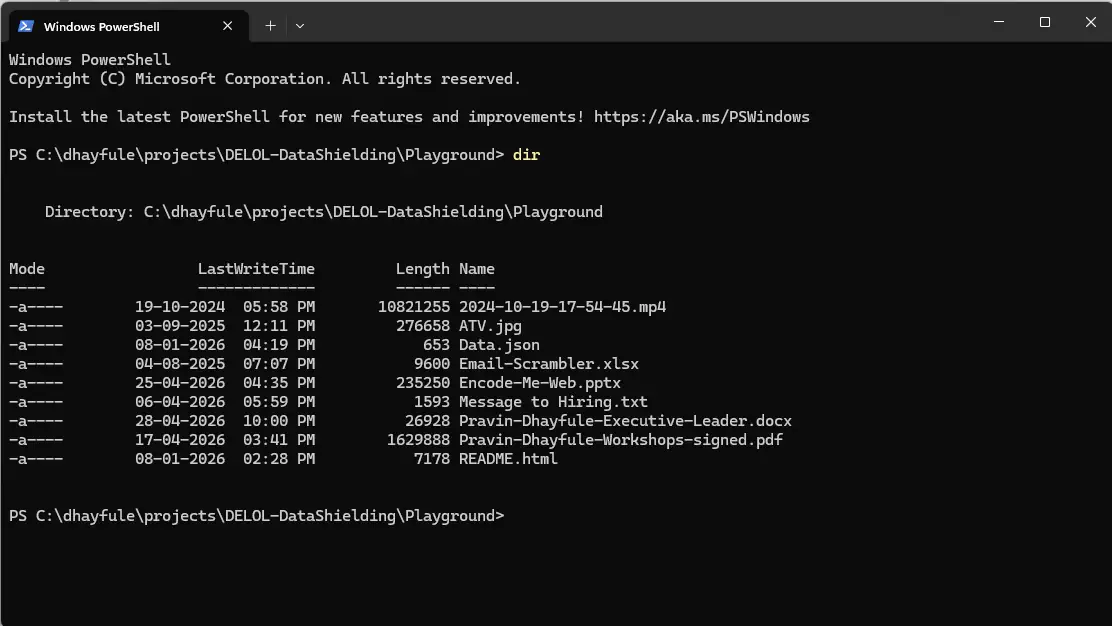
1. Launching the Terminal from the Windows Explorer Folder
Open the Terminal in the directory where you want to build the convoy package.
2. Invoking the DELOL Shield Convoy Loader
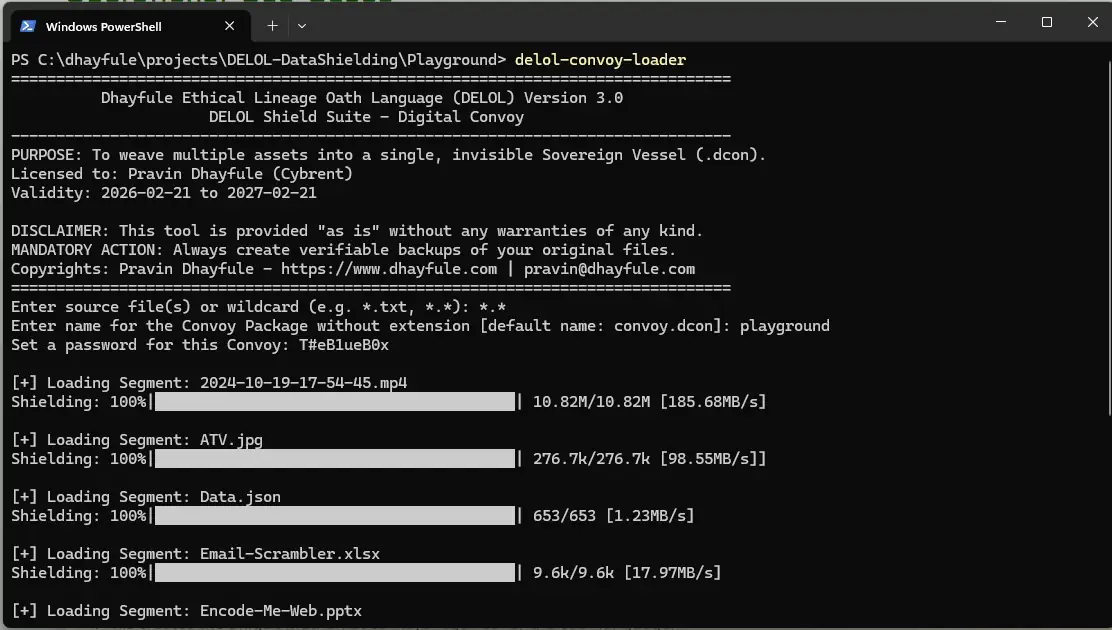
- Run DELOL-Convoy-Loader at the terminal.
- Provide the single filename or the file batch in form of wildcards (eg. *.*, *.txt, *.mp4, etc.) that you want to package in the Convoy Vault as “.dcon” package.
- Provide the name that you would want the “.dcon” file to be known as. If you don’t provide it, the file will be named as “convoy.dcon”.
- Provide the Password that you created from the Secret Phrase in EncodeMe Password Generator (as shown above).
- The files will be picked, encrypted and packed in the vault, followd by building of “convoy.dcon” or the filename that yoou provided in the same folder.
Phase 2: Distribution and Transit
This is where you need to ensure that you do not Zip the “.dcon” file while placing it on an external storage like a Pen-drive or a Cloud Storage Location.
Just create a folder and palce the DELOL Shield Convoy package (.dcon) file in it, just like any regular file.
Even when an unauthorized person peeks into that Pen-drive or Cloud Location where that file resides, they won’t be able to read it or open it even after tossing it into AI’s console to identify it.
Only the Authorized Person with the Correct Password and DELOL Convoy Unloader will be able to recover the package payload from the “.dcon” vault.
Phase 3: The Restoration (Unloading)
Just like you used EncodeMe for generating password, you will need to provide that same “Secret Phrase” (just like in this example it was “The Blue Box“) and separately explain how to recover the password without you explicitly leaking the actual password through mails or text message.
Unloading the DELOL Shield Convoy Package
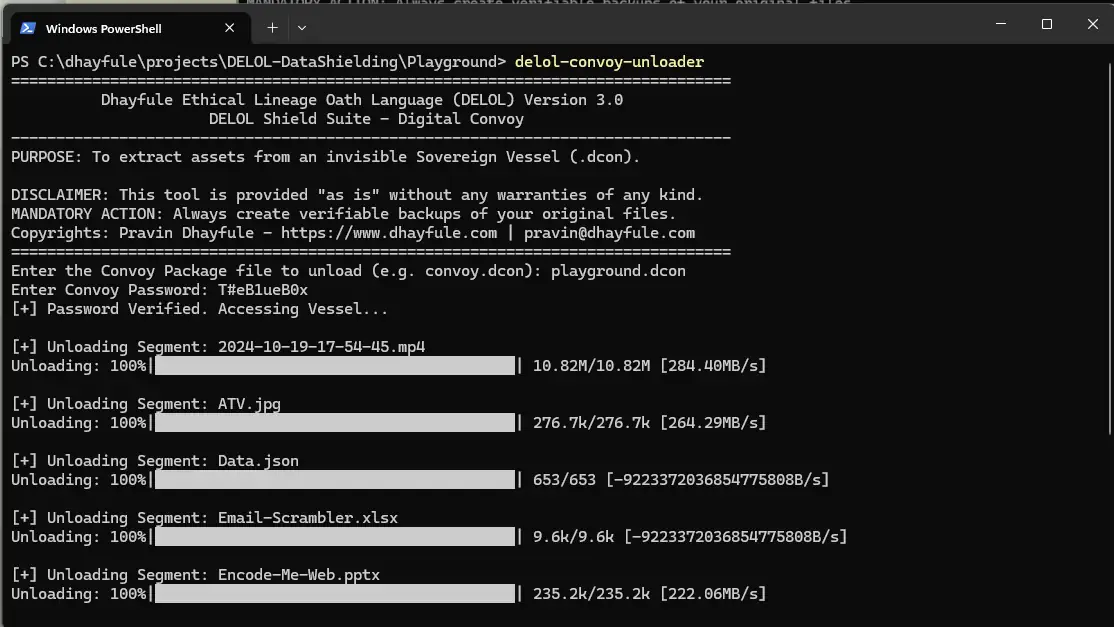
- Open the Terminal at the Folder Loacation where the “.dcon” package was downloaded.
- Run DELOL-Convoy Unloader at the Terminal.
- Provide the correct “.dcon” file name (in this example it’s playground.dcon).
- Provide the password associated with this Convoy Package.
- If the provided information is correct, the files will be unloaded to “Unloaded Assets” folder in the same folder where the “.dcon” file was downloaded.
Obtaining DELOL Shield Convoy Packager
DELOL Shield Convoy is part of DELOL 3 File Shielding Suite. This Download link will lead you to our secured cloud server from where you can download the installer DELOL-Shield.exe which also installs DELOL Shield Convoy loader and unloader.